
Clinic Staff Scheduling for Multi-Location Practices: The Complete Guide
How to schedule providers and staff across multiple clinic locations: coverage rules, time off, building and publishing, call-outs, communicating with each location, and choosing tools.
Clinic staff scheduling sounds simple until a practice has more than one location. Then the same provider is in two clinics on the same Tuesday, the front desk at the third office is working from last week's PDF, and the person who builds the schedule spends more time telling people about changes than making them.
This guide is for practices whose providers and staff work across several locations: specialty groups with satellite offices, practices covering outside hospitals or nursing facilities, and urgent care groups. It covers how to plan coverage, write rules, handle time off, build and publish the schedule, cover call-outs, keep every location informed, measure the result, and choose tools.
Staff scheduling vs patient appointment scheduling
These two get confused because both are called "scheduling", and they often live in different systems:
- Patient appointment scheduling books patients into a provider's time. It lives in your EHR or practice management system.
- Clinic staff scheduling decides which providers and staff are at which location, on which days and hours. It usually lives in a spreadsheet, because the EHR assumes it's already known.
This guide is about the second. A good staff schedule is what makes the appointment book accurate: if the wrong provider is at the wrong location, every appointment that day is wrong. For more on the difference, see ClinicShifts vs your EHR's scheduler.
Map coverage needs by location and day
Before you assign anyone, write down what each location needs:
| Location | Mon | Tue | Wed | Thu | Fri | Notes |
|---|---|---|---|---|---|---|
| Main office | 2 physicians, 1 NP | 2 physicians | 2 physicians, 1 NP | 2 physicians | 1 physician | Procedures Wed |
| North clinic | 1 physician | — | 1 NP | 1 physician | — | Closed Tue, Fri |
| Hospital consults | 1 physician | 1 physician | 1 physician | 1 physician | 1 physician | Rotating |
This is the skeleton of the schedule. Without it, the schedule is built from habit, and gaps are found by patients.
Write the rules down
Every practice has rules that live in someone's head: minimum coverage per location, who works only certain days, who can't be at two particular sites the same day, how many days in a row is too many, who covers the hospital on Fridays. Write them on one page. Written rules make the schedule faster to build, easier to check, and possible for someone else to build when the usual scheduler is away.
In ClinicShifts, each person's availability (full time, or part time on chosen weekdays, alternating weeks or every N weeks) is set once, and any assignment outside it is flagged.
Set up a time-off and preferences process
Requests that arrive by text, email and conversation are the most common source of mistakes. Pick one channel and one deadline, for example the 10th of the month for next month. After the deadline, a request is a change and goes through the change process.
Record approved time off where the schedule can see it, so a conflict is caught when you assign rather than when the person doesn't show up. In ClinicShifts the administrator records time off on the person's calendar, and it's checked against every shift from then on.
Build: template, draft, conflict check, publish
A reliable build has four steps:
- Start from the template. Standing patterns, such as Dr. A at the north clinic every Monday and Thursday, are set once and repeat. In ClinicShifts a shift can repeat every week, every two weeks or every three weeks on the days you choose.
- Build as a draft. Fill gaps and handle requests where nobody else can see the half-finished version.
- Check conflicts. One person at two locations at overlapping times, a person on approved time off, a part-time person on a day they don't work. ClinicShifts flags these on the shift as you assign.
- Publish once. Release the finished schedule to everyone at the same time, rather than broadcasting every edit.
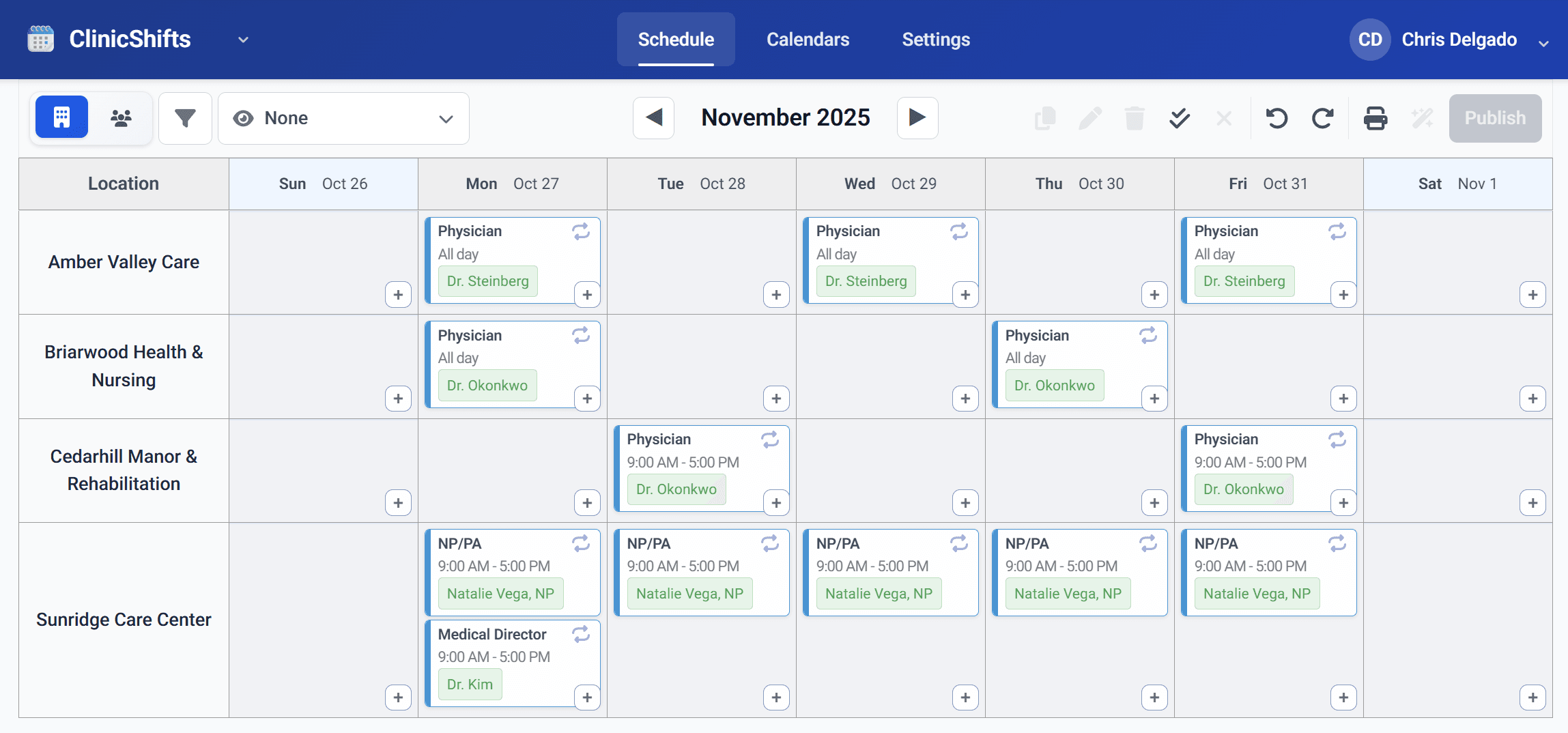
Cross-location coverage and travel
Multi-location scheduling adds two things single-site scheduling doesn't have:
- Cross-location conflicts. The most common error is the same person booked at two locations on the same morning. Check every assignment against the person's whole day, not just the location you're filling.
- Travel. A provider who starts at one clinic and finishes at another needs the drive in their day. Group locations by geography and keep each person's day within one area where you can.
Handling call-outs
Call-outs are where schedules fail most visibly. Agree a protocol before you need it: who the person calls, who decides on coverage, the order backups are asked, and who tells the location and any answering service. Then make the change once, in the schedule, and let notifications do the telling. Our call-out coverage playbook has a step-by-step version.
Communicating the schedule to each location
Each location needs to know who's working there today and this week, and to find out when it changes. Emailed PDFs go out of date at the first change, and then the location calls your office.
The fix is a live view per location. In ClinicShifts every location gets a schedule link that opens without a login and always shows the current schedule; front desks bookmark it and can subscribe to an email when it changes. Staff see their own shifts in the iOS and Android apps or in Outlook, Google or Apple Calendar.
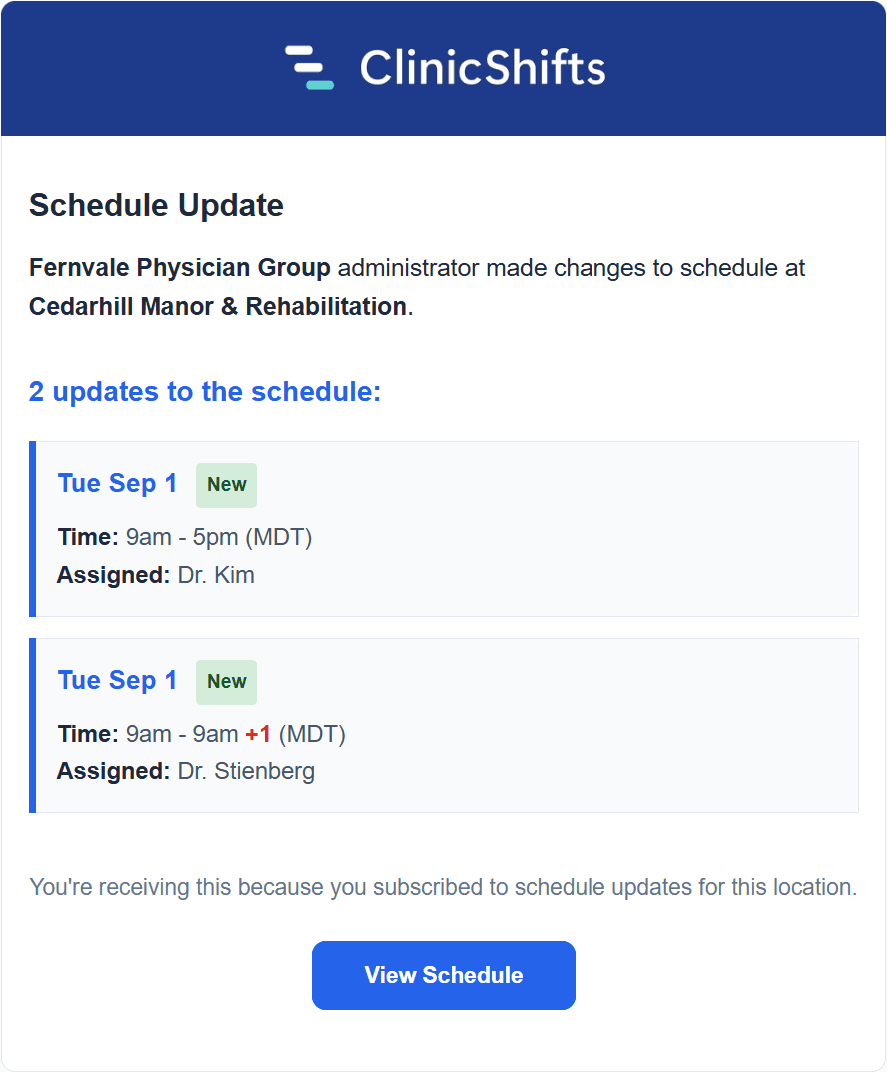
Measuring schedule quality
Four numbers tell you whether the schedule is working:
- Fill rate: the share of required shifts filled when the schedule is published.
- Changes after publishing: how many shifts change after release, and how close to the day.
- "Who's on?" questions: how often a location asks. It should trend toward zero.
- Fairness: how weekends, holidays and hard assignments are shared across the team. See why physicians say the schedule isn't fair.
A clinic staff schedule template
If you're starting from scratch, this layout works in any spreadsheet:
| Date | Location | Shift | Role | Assigned | Notes |
|---|---|---|---|---|---|
| Mon Mar 2 | Main office | 8:00–17:00 | Physician | Dr. A | |
| Mon Mar 2 | Main office | 8:00–17:00 | NP | N. Vega, NP | |
| Mon Mar 2 | North clinic | 9:00–15:00 | Physician | Dr. B | |
| Mon Mar 2 | Hospital consults | 7:00–19:00 | Physician | Dr. C | On call overnight from home |
Add your coverage map and rules at the top of the sheet, one tab per month, and a column that counts each person's assignments per day so double bookings stand out.
Tools: spreadsheets, general staff schedulers and provider schedulers
| Spreadsheet | General staff schedulers | Provider schedulers | |
|---|---|---|---|
| Examples | Excel, Google Sheets | When I Work, Deputy and similar | QGenda, Amion, ClinicShifts and others |
| Built for | Anything | Hourly teams in retail, hospitality and similar | Physicians, NPs and PAs |
| Strengths | Free, flexible, familiar | Time clocks, shift swaps, availability requests | Clinical roles, call, multi-location coverage |
| Weak spots | No conflict checks, copies go stale, no notifications | Not built around provider roles, call or outside locations | Range from enterprise (quote-only) to self-serve |
| Best when | One location, stable schedule | Hourly support staff | Providers moving between locations |
If you're comparing provider schedulers, start with our guides to QGenda alternatives and Amion alternatives. If you're still on a spreadsheet, read ClinicShifts vs spreadsheets first: it says when to stay.
Where ClinicShifts fits
ClinicShifts is provider and clinic staff scheduling for practices whose people work across several locations. One schedule by location and by person, conflicts flagged across locations as you assign, drafts you publish when ready, automatic change emails, and a live link for every location. It schedules staff, not patients, and it doesn't do time clocks, payroll, or swap and time-off requests; an administrator makes changes. Anyone who can be assigned to shifts is $10 per month; admins who never take shifts and locations are free. See how it works for PM&R and multi-office practices, or read how to reduce the administrative burden of scheduling.
Frequently asked questions
- What is clinic staff scheduling?
- Deciding which providers and staff work at which clinic location, on which days and hours, and keeping that schedule correct and communicated as it changes. It's different from patient appointment scheduling, which books patients into those providers' time.
- How do you schedule staff across multiple clinic locations?
- Start from each location's coverage needs by day, assign the providers who work at that location, check for conflicts across locations (one person in two places), and publish a schedule each location can see for itself. Keep travel between locations in mind when building each person's week.
- What is the best way to handle last-minute call-outs at a clinic?
- Agree a protocol in advance: who the person calls, who decides on coverage, the order backups are asked, and who tells the location. Then make the change once in the schedule and let the location's view and notifications update everyone.
- How far in advance should a clinic schedule be published?
- Most practices publish monthly, two to four weeks ahead, with a fixed deadline for time-off requests before the build. Standing patterns, such as a provider's regular clinic days, can be set for months ahead.
- What should a clinic staff schedule template include?
- One row per location and day (or per person and day), the shift times, the role required, the person assigned, and a notes column. Add a rule summary at the top: coverage minimums per location and any part-time patterns.
- Do we need scheduling software for a clinic?
- Not for one location with a stable schedule; a spreadsheet works. Software earns its place when staff work across several locations, the schedule changes after it's sent, or locations call to ask who's coming.
Try it on your own schedule
Send us your current schedule and we'll import it into a free trial. The first 90 days are free, no card.