
Creating Your Account
Sign up for ClinicShifts, verify your email, and get ready to set up your organization.
Sign In Page
To get started with ClinicShifts, visit app.clinicshifts.com. You will see the Sign In page where existing users can log in with their email address.
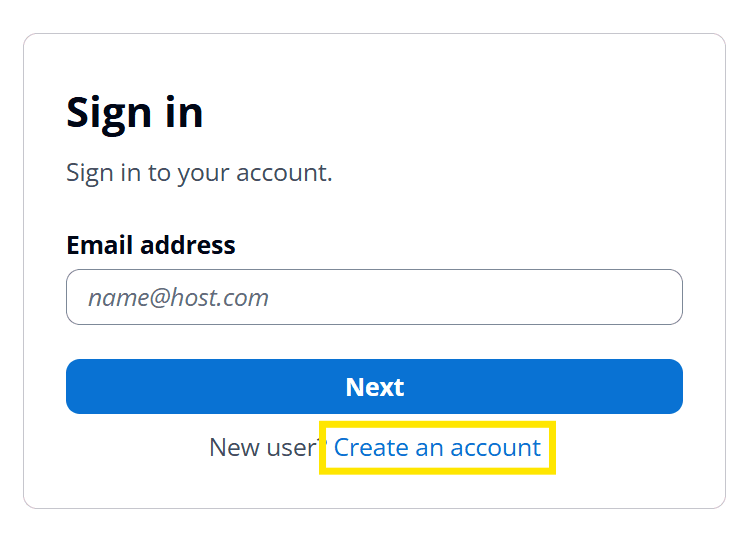
If you are a new user, click the Create an account link at the bottom of the sign-in form.
Creating a New Account
On the Sign Up page, fill in the following details:
- Email address — your work email
- Name — your full name
- Password — choose a secure password
- Confirm password — re-enter your password to confirm
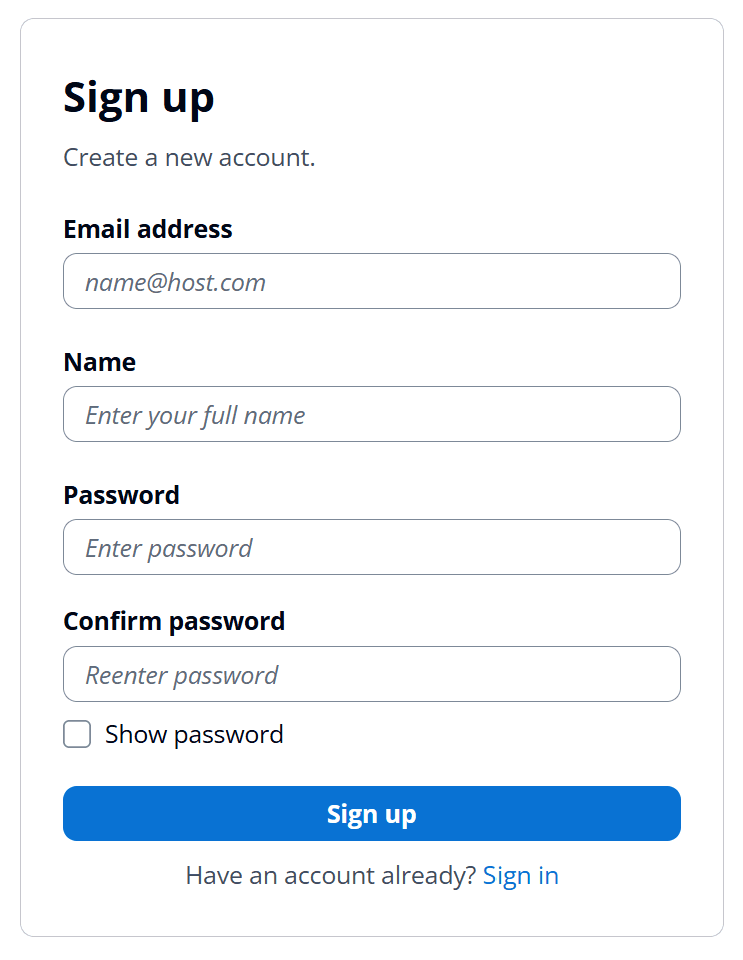
Click Sign up to create your account.
Email Verification
After signing up, you will receive a verification email at the address you provided. Click the verification link in that email to activate your account before proceeding.
Make sure to check your spam or junk folder if you don't see the verification email within a few minutes.
What's Next
Once your email is verified, you'll be guided through the Setup Wizard to create your organization, configure locations, and define provider roles. See the next guide: Setup Wizard.